Piano Pop Music 2
GMG GlobalMusic
4.11.42K Reviews
- Version
- 1.0.42
- Installs
- 10.00M
- Age Rating
- Everyone
Screenshots
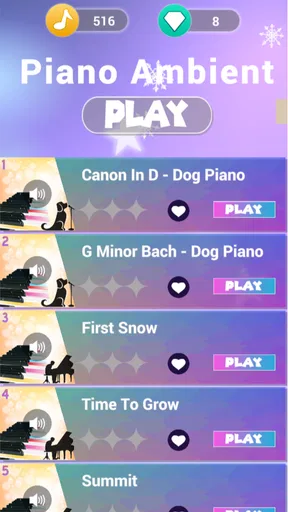
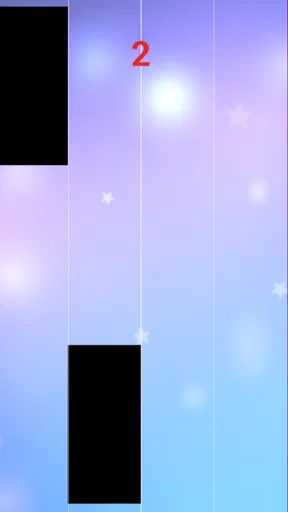
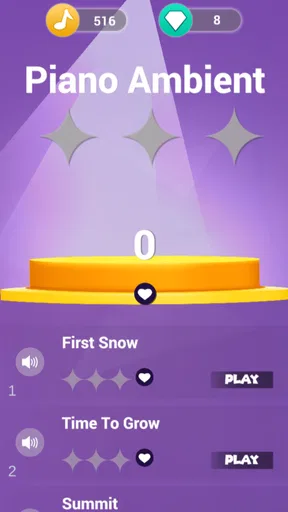
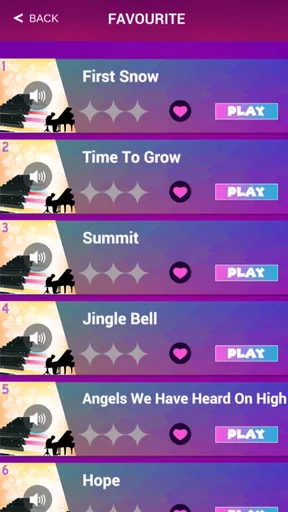
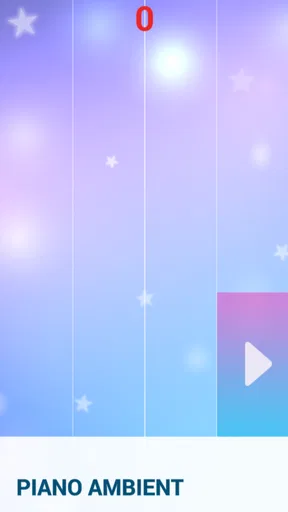
Our Review of Piano Pop Music 2
 Analysis by Appyee
I first understood the appeal of Piano Pop Music 2 within a few seconds: a tile appears, I tap it, the song moves forward, and one small mistake can break the rhythm. That simple exchange gives the game its character. It is not trying to teach me piano or replace a full music game with a large instrument library. Instead, it turns familiar musical timing into a quick reflex challenge that is easy to start and surprisingly difficult to put down.
This is a free music game from GMG Global, aimed at anyone who enjoys short, touch-based challenges. Its age rating is Everyone, and it runs on Android devices using version 7.0 or later. The game has been available since April 28, 2018, and its current version is 1.0.42. Those details matter because this is the sort of title I can install on an older compatible phone and use for a few spare minutes without treating it like a major gaming commitment.
The basic idea is familiar, but the experience depends on how the game handles the moment between tapping correctly and making a mistake. The tiles provide immediate visual and musical feedback, successful taps create momentum, and failure sends me back into the familiar thought of “one more attempt.” That loop is the real product here. If I want deep composition tools, a rhythm game built around complex patterns, or a serious piano-learning aid, I would look elsewhere. If I want a compact musical reflex game, this one makes a clear case for itself.
How the first tap turns into a challenge
The opening action is deliberately uncomplicated. I do not need to study a long tutorial or learn a complicated control scheme. I watch the moving pattern, identify the tile that needs attention, and tap it at the right moment. The control is perfectly suited to a phone because the entire interaction is based on quick touches rather than virtual buttons, swipes, or multi-finger commands.
That simplicity makes the game approachable for people who normally avoid games. A child can understand the basic action, a casual player can begin without preparation, and an experienced mobile gamer can immediately focus on timing. The Everyone rating fits that accessible presentation. Still, easy controls do not mean an effortless experience. The challenge comes from maintaining concentration as the pace and pressure build.
I find the first few taps useful as a test of attention rather than skill. They let me settle into the visual rhythm and judge whether I am looking at the right part of the screen. On a small phone, that matters more than I expected. My thumb can cover part of the lower display, so I get better results when I keep the device steady and use a light touch instead of gripping it tightly.
A practical habit is to play with the phone positioned where the full pattern remains visible. When I hold it too close or let my hand drift over the action area, mistakes feel like handling problems rather than musical ones. This is one of the less obvious parts of the experience: the game is simple enough that posture, screen cleanliness, and thumb placement can affect a run. A quick wipe of the display and a relaxed grip genuinely help during longer attempts.
The controls are simple, but timing is not
The game does not ask me to memorize a large set of commands. That lowers the entry barrier, but it also leaves timing as the main test. I cannot compensate for a missed tile by pressing another button or changing strategy dramatically. I need to read what is coming, react accurately, and keep my attention from wandering.
That creates a useful distinction between a relaxed first session and a serious attempt. When I play casually, I can tap along and enjoy the music even if the run ends quickly. When I want to improve, I have to stop treating each tile as an isolated action and start anticipating the next one. Looking slightly ahead, rather than staring only at the tile under my finger, is the first technique that makes the game feel less random.
I also recommend using short sessions at the beginning. Playing repeatedly while frustrated makes my taps heavier and my reactions slower. A brief pause after a failed run helps me identify whether I missed because I reacted late, looked away, or placed my finger poorly. That small reset turns the game from mindless repetition into a basic practice routine.
The feedback rhythm keeps the loop alive
Every successful tap gives me two kinds of confirmation: the visual action on the screen and the musical continuation. That combination is more satisfying than a silent button press because the game makes progress feel audible. I am not simply clearing objects; I am trying to preserve a song-like flow. When the taps line up, the result feels smooth even though the underlying task is highly repetitive.
The rhythm also gives mistakes more weight. A missed tile is not just a visual error. It interrupts the feeling I was building, which makes the next attempt immediately tempting. This is where the game’s strongest psychological hook appears: the feedback is fast enough that I understand what went wrong before I have fully put the phone down.
For me, the best use case is a short break when I want something more active than scrolling but less demanding than a full game. I can play while waiting for an appointment, during a commute stop, or between tasks at home. The game does not require a long story to remember or a complicated strategy to recover. I can return after a day away and understand the action immediately.
That convenience has a trade-off. Because the interaction is so focused on tapping and timing, the novelty depends heavily on how much I enjoy repeating the same basic challenge. Players who need exploration, character progression, or a large variety of mechanics may feel that the experience becomes narrow. The musical feedback makes repetition pleasant, but it does not transform the core action into something fundamentally different.
Why looking ahead matters more than tapping faster
A common mistake is to treat the game as a test of raw speed. In practice, I get further when I make fewer rushed decisions. I watch the incoming pattern, keep my hand relaxed, and tap with a consistent motion. Speed helps only after I can read the sequence reliably. Pressing faster without improving visual tracking usually produces a quick failure and teaches me very little.
This also explains why the game can feel different depending on my mood. When I am tired, I make errors because my attention slips rather than because the controls are difficult. When I am focused, the same pattern feels manageable. That makes it useful as a light concentration exercise, although I would not describe it as a formal training tool. Its value is in encouraging brief, focused attention, not in measuring or developing musical ability in a structured way.
Players using headphones may find the musical feedback easier to follow, especially in a noisy environment, but I prefer not to depend on sound alone. The visual timing remains essential, and the game should still make sense as a touch challenge when I play quietly. The strongest runs come from combining both signals: I see the next action and use the sound to confirm that my timing is staying consistent.
Rewards that make another attempt feel worthwhile
The immediate reward is progress through the song-like sequence. Each correct tap extends the run, preserves the rhythm, and gives me a reason to continue. That is a modest reward, but it works because it arrives after every action rather than only at the end of a long level. I always know whether I am doing well, and I can feel improvement when a pattern that previously stopped me becomes easier.
The game is most satisfying when I set a personal target instead of expecting a large progression system to carry the experience. I might try to last longer than my previous attempt, maintain concentration through a difficult passage, or complete a quick session without rushing. These goals are small, but they fit the game’s short-session design better than an elaborate checklist would.
There is another useful reward in learning the game’s visual language. At first, I react to each tile as it appears. After several attempts, I begin to recognize the spacing and anticipate the next movement. That shift from reaction to prediction is where the game gains depth. It does not add a new control, yet it changes how I play. The reward is not only a better result; it is the feeling that my eyes and hands are beginning to cooperate.
Because the game is free, I can test that loop without paying at the start. Optional in-app purchases range from $0.99 to $3.49 per item, so I would approach those purchases carefully and decide whether they improve my own experience rather than assuming they are necessary. The free entry point is a real advantage for a casual player, while anyone sensitive to optional spending should check the purchase flow before handing the game to a child.
Who gets the most from the reward loop
I would recommend it to people who enjoy quick reflex games, music-themed tapping, and personal improvement without a large time investment. It is particularly suitable for someone who wants a game that can be understood instantly but still offers a reason to retry. The game also works well for families because the controls are straightforward and the Everyone rating makes its intended audience broad.
I would be more cautious about recommending it to someone looking for actual piano practice. Tapping tiles may improve attention to timing, but it does not teach me notes, hand position, scales, reading music, or expressive playing. A dedicated learning app is the better choice for those goals. Likewise, a player who prefers strategic decisions or narrative progression may enjoy a rhythm title with more systems and variety.
Compared with a traditional piano simulator, this game is faster to understand and less intimidating, but it offers far less control over the music. Compared with a larger rhythm game, it feels lighter and more immediate, though possibly less varied. Compared with ordinary puzzle games, its musical feedback gives successful actions more energy. Those comparisons help define its place: it is a focused arcade experience, not a complete music platform.
What happens when a session resets
Failure is central to the design because the game does not need a long recovery phase. A run ends, I see that my timing broke, and I can try again almost immediately. That short distance between failure and restart is why the game is easy to revisit. There is no need to rebuild a character, replay a lengthy section, or remember a complicated plan.
The reset can be motivating or irritating depending on how I approach it. If I treat every failed run as information, I can adjust one thing at a time: watch farther ahead, loosen my grip, slow my first taps, or stop playing when concentration drops. If I simply repeat the same rushed motion, the reset becomes a loop of frustration. The game gives me quick retries, but I still have to supply the patience.
This is also where the game’s limitations become clearest. A short restart is excellent for spontaneous play, yet it may feel thin for someone expecting a substantial campaign. The experience is built around the next attempt rather than a broad journey. I would not install it expecting a deep collection of modes, a detailed story, or an extensive social layer. Its identity is narrower and more honest: tap accurately, keep the musical flow, and try again when it breaks.
In an everyday scenario, I might open it while waiting for a takeaway order. I have only a few minutes, so a complicated game would be inconvenient. Here, I can complete a handful of attempts, notice that I am missing tiles because I am watching too close to my finger, then adjust my grip and improve before leaving. That kind of small, contained progress is where the game fits best.
When I would put it down
I would stop playing if the repetition no longer felt musical and started feeling like tapping for its own sake. The game’s appeal depends on the connection between action and sound. If I want a calmer experience, I may prefer a puzzle with no timing pressure. If I want to learn an instrument, I would choose a structured piano tutor. If I want a richer rhythm challenge, I would look for a game with more varied input and progression.
I would also avoid making it the main game for a long uninterrupted session. The focused loop is enjoyable in small doses, but repeating the same type of attempt for too long can make concentration feel like work. Taking a pause is not a failure of the game; it is the best way to preserve the part that makes it enjoyable. A few deliberate runs are more rewarding than a long stretch of increasingly careless taps.
The technical requirements are friendly to older Android hardware because the minimum supported system is Android 7.0. That makes it a practical candidate for a spare device or a family phone that cannot run newer, heavier games. Even so, the quality of a session depends on the screen response and the way I hold the device. A perfectly compatible phone can still feel awkward if its display is small or my touch is imprecise.
My verdict on the complete tap-and-retry loop
After spending time with it, I see Piano Pop Music 2 as a compact arcade music game whose strength is clarity. The first action is obvious, the feedback arrives immediately, the reward is the continuation of the musical flow, and the reset is quick enough to invite another attempt. That entire loop is easy to understand without being completely effortless to master.
Its rating of 4.1 from around 106 thousand ratings and more than 10 million installs suggest that the format has reached a substantial audience. I would not treat popularity as proof that it suits everyone, but it does match my experience of the game as an accessible, broadly appealing time-filler. The developer, GMG Global, has kept the concept focused rather than turning it into a complicated simulation.
My honest recommendation is simple: try it if you want short musical reflex sessions and enjoy improving through repetition. Keep your expectations realistic, use the visual pattern as much as the sound, and take breaks when your timing becomes rushed. I would skip it if I need real piano instruction, deep progression, or a wide range of gameplay systems.
The best reason to keep Piano Pop Music 2 installed is the speed of its loop: one tap starts the interaction, accurate taps create momentum, a mistake ends the run, and the next attempt is ready before the urge to improve disappears. For a free music game, that is a focused and convincing purpose.
Verdict
Strengths of Piano Pop Music 2
- Simple tap controls make it easy for beginners to start playing.
- Fast-paced songs provide an engaging challenge for rhythm-game fans.
- Bright visuals and musical effects make sessions feel lively.
- Short levels are convenient for quick breaks or casual play.
- Increasing difficulty helps improve timing and hand-eye coordination.
Limitations of Piano Pop Music 2
- Some tracks may feel repetitive after extended play sessions.
- Later levels can become difficult without precise, quick tapping.
- Frequent ads may interrupt gameplay for free users.
- The game may require an internet connection for some features.
- Limited customization can make the experience feel less personal.
Other Releases by GMG Global
View All
Cat Dog Music Voice
Music4.2

Chipmunks Music Journey
Music4.0
Similar Picks in This Category
View All
Tiles Hop Music & Ball Game
AMANOTES PTE. LTD.4.3

Magic Tiles 3™ - Piano Game
AMANOTES PTE. LTD.4.6

Real Piano
Bilkon3.7

Piano Game: Classic Music Song
Dream Tiles Piano Game Studio4.0

Smash Colors: Music Ball Rush
BADSNOWBALL HONGKONG LIMITED4.2

Piano Music Go-EDM Piano Games
Joy Journey Music Games4.5
Frequently Asked Questions
What is Piano Pop Music 2?
Piano Pop Music 2 is a rhythm-based music game in which you tap piano-style tiles in time with popular songs. The main objective is to follow the notes accurately, maintain combos, and complete tracks without missing too many tiles. It is designed for quick sessions, with simple controls that make it accessible to casual players while still rewarding timing and concentration.
How do you play Piano Pop Music 2?
Gameplay is straightforward: choose a song, then tap the dark or highlighted piano tiles as they move across the screen. You must avoid tapping empty areas and try to keep up as the speed increases. Accurate taps build your score and combo, while mistakes can interrupt the song or end the round. Headphones and a stable grip can make timing easier.
Does Piano Pop Music 2 require an internet connection?
The connection requirements may depend on the version and the features currently available in the app. Basic gameplay can often be accessed offline after the necessary content has loaded, but an internet connection may be needed for advertisements, song updates, leaderboards, special events, or synchronizing progress. It is best to open the game online at least once and check which modes remain available offline.
Is Piano Pop Music 2 free to download and play?
Piano Pop Music 2 is generally offered as a free download, allowing users to try the core gameplay without paying upfront. However, free games of this type commonly include advertising and may provide optional purchases, such as removing ads, unlocking songs, or obtaining in-game benefits. Review the store listing and purchase settings before downloading, especially if children may use the device.
Is Piano Pop Music 2 suitable for children and beginners?
The game is easy for beginners to understand because it relies on simple tapping rather than complicated controls. Children may enjoy the colorful presentation and music-focused challenges, although faster levels can become demanding. Parents should check the app’s age rating, advertising, privacy information, and any in-app purchase options. Younger players may also benefit from supervision when using online features or advertisements.
Play our best games!


